PS5 Internal Fan Upgrade: Nidec vs. Delta vs. NMB
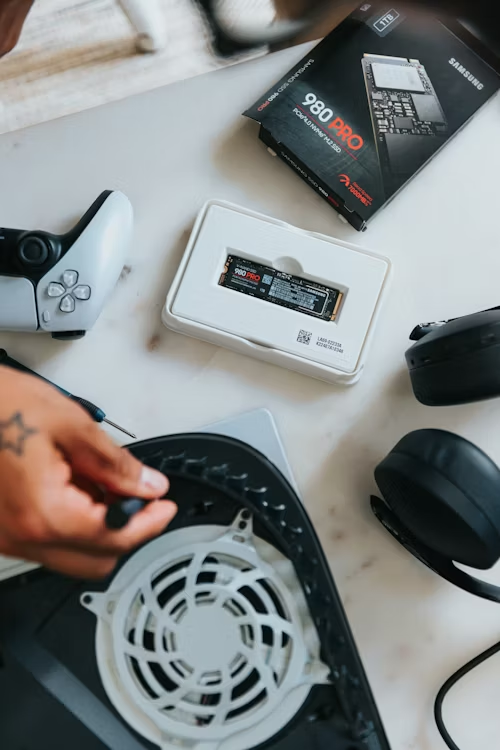
The "Fan Lottery" Explained
Not all PS5 consoles are built with the same cooling hardware. Sony utilizes three different fan manufacturers. Some fans have 17 blades, while others have 23. If your console has a high-pitched "UFO" whistling sound, it is likely due to the blade frequency of your specific fan model. This remains a relevant issue for the PS5 Pro's high-performance thermal demands in 2026.
🛡️ Required Tools & Parts
To perform this swap without stripping specialized screws or damaging the terminal:
- Specialized Driver: A T8 Security Torx bit is mandatory. (See Precision Toolkits).
- Thermal Safety: Anti-static tweezers for the 3-pin power connector.
- Debris Removal: Since the console is open, use Canned Air (Anti-Moisture) to clear the heatsink.
- The Fan: A verified NMB V3 or Delta 23-blade replacement unit.
Comparison of 2026 Replacement Options
| Manufacturer | Blade Count | Acoustic Profile |
|---|---|---|
| NMB (V3) | 18 Blades | Silent / Premium |
| Delta | 23 Blades | Balanced / Moderate |
| Nidec | 17 Blades | High-Freq Whistle |
Step-by-Step Replacement
- Safety First: Ensure the PS5 is unplugged. Remove the plates and the top intake grill using a T8 Security Torx screwdriver.
- Expose the Connector: Carefully lift the plastic shroud covering the fan's power terminal.
- Disconnect Power: Use precision tweezers to gently pull the 3-pin fan connector straight up. Do not pull by the wires.
- Swap the Unit: Remove the four long screws, lift the old unit out, and drop the new "Silent" NMB or Delta fan in its place.
⚠️ Warning: Standard Torx T8 drivers will not fit. You must use the "Security" version with a hole in the center. Attempting to use a standard bit will permanently strip the head. Get the correct Security T8 Bit here.
Need a Silent Fan or T8 Security Bit?
Don't settle for a noisy console. Ensure you have the right tools for a safe swap.
Check Toolkits & Silent Fan Prices