How to Deep Clean PS5 Intake Fans
Preventing Thermal Throttling
Dust is the primary enemy of PS5 performance. When the intake fans become clogged, the console must spin faster to stay cool, leading to "Jet Engine" noise and eventually, unexpected shutdowns. Regular maintenance every 6 months ensures your liquid metal cooling system—especially on the high-performance PS5 Pro—remains efficient.
🧼 Recommended Cleaning Kit
Using the wrong tools (like household chemicals) can damage the plastic or internal components:
- Debris Removal: Electronic-Safe Compressed Air (Anti-moisture).
- Detailing: Anti-static soft brushes for the fan blades.
- Sanitization: 70% Isopropyl Alcohol Wipes for the outer plates.
- Deep Access: A T8 Security Driver if removing the fan (See Precision Toolkits).
Step-by-Step Maintenance
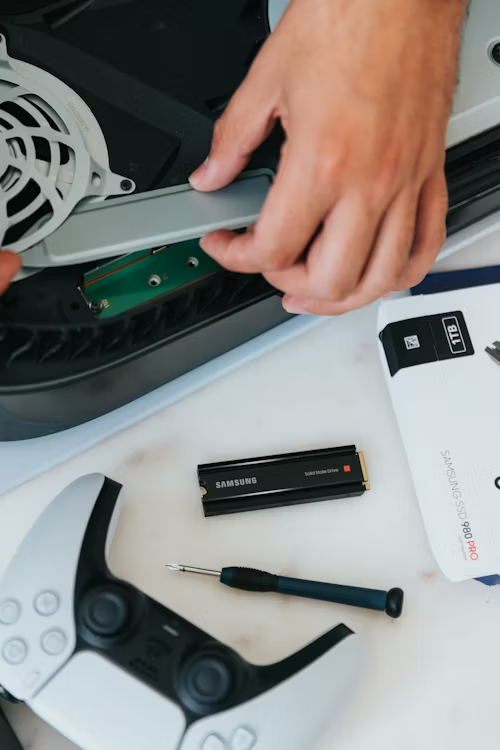
- Plate Removal: Power down and unplug the PS5. Lay it horizontally and remove the white faceplates by lifting the corner and sliding them toward the bottom.
- Vacuum the Dust Catchers: Sony designed two "Dust Catcher" holes near the center of the console. Use a low-powered vacuum to suction out the debris from these specific ports.
- Clean the Grills: Use a soft-bristled brush or a can of compressed air to clear the dust from the front and back intake grills.
- Fan Inspection: Without unscrewing the fan, check for heavy buildup on the blades. If necessary, use a microfiber cloth to wipe the edges of the visible fan blades.
- Optional Storage Upgrade: While the plates are off, this is the ideal time to check your expansion slot. If you're running out of space, see our Verified 2026 SSDs for the fastest drives.
- Reassemble: Slide the plates back on until they click, and ensure the console has at least 4 inches of open space for airflow.
⚠️ Tech Tip: Never use a standard household vacuum on the motherboard. Only use it on the dedicated "Dust Catcher" holes to avoid static discharge. For the internal fins, always use anti-static canned air.
Fan still making a loud "whirring" noise?
If cleaning didn't fix the sound, you might have a low-tier fan model.
Check Silent Fan Compatibility & Prices